
Storing office records the right way saves time, cuts compliance risk, and keeps sensitive information safe. This guide gives straightforward, UK-focused advice on organising, retaining, and securing business files, so you can set up a dependable archiving routine that improves day-to-day efficiency.
You’ll get step-by-step guidance on sorting and purging, labelling and indexing, choosing the right off-site unit size, and using scanning to speed retrieval. We also cover the security features to look for in a professional facility, packing techniques to prevent moisture or pest damage, and simple cost comparisons to help you decide whether to keep records in-house or move them off-site.
The sections follow a clear workflow so you can go from immediate sorting to long-term retention and recovery planning without guesswork.
How Can You Organise Office Files So Staff Find What They Need, Fast?
Start with a consistent structure: group records by client, project, department, or date, add a clear retention trigger for when items move to archive, and keep an index so retrieval is predictable.
A repeatable process reduces time spent searching, makes compliance checks easier, and clarifies who owns each record set. Turn the process into simple labelling and indexing rules so every team member knows what to do. The practical steps below give a consistent workflow to tidy up filing and set you up for storage.
Five quick steps to get your filing under control:
- Define categories by purpose: client, project, financial, HR, and compliance records.
- Set a retention trigger for each category that states when to purge, archive, or digitise.
- Use standard folder and file names with dates, project codes, and version numbers.
- Index every box or unit in a searchable register or spreadsheet.
- Run regular audits and a quarterly purge to enforce the retention rules.
These steps create an operational framework you can roll out across teams, then convert into clear day-to-day labelling and filing instructions.

Best Practices For Sorting And Securely Purging Business Documents
Sorting and purging work best when the rules are obvious. Start by grouping records into categories: legal (contracts, deeds), financial (tax returns, invoices), HR (personnel files), and operational (project files, correspondence), then match each group to statutory and business retention triggers. Additionally, it’s important to regularly review these categories to ensure compliance with the latest regulations and company policies. Understanding the distinctions between a warehouse versus fulfilment centre overview can further aid in organizing operational records, as each setting may have different retention needs. By aligning your records management strategy with these insights, you can enhance efficiency and ensure that critical documents are easily accessible when needed.
Log every destruction action, who authorised it, and the method used to create a clear audit trail. A steady purge rhythm cuts storage costs and simplifies disaster recovery. Practical purge rules to follow: keep tax documents in line with HMRC guidance, retain signed contracts until they expire plus a reasonable buffer, and apply shorter retention to routine notes.
Use certified shredding (or an equivalent service) and always record disposal certificates. Put these rules into a written retention policy so staff can make consistent decisions during sorting and purge cycles, then move on to how you label and file the records you keep.
What Are The UK Document Retention Rules And GDPR Basics Businesses Must Follow?
Design retention by mapping document types to legal obligations and business needs, then apply GDPR principles, lawfulness, minimisation, storage limitation, integrity, and confidentiality, to physical records. A clear retention matrix cuts legal risk and shows which files belong off-site.
Use this quick reference for common business records, typical UK retention periods, and sensible next steps to stay compliant and operational.
| Document Type | Retention Period | Typical Action |
|---|---|---|
| Accounting records (invoices, ledgers) | Minimum 6 years | Archive after the current year; keep for the statutory period and index for HMRC access |
| Payroll and PAYE records | Minimum 6 years | Secure archive with restricted access; digitise summaries for quick queries |
| Employment contracts and termination records | 6 years (contract claims) | Retain after termination as per risk assessment; record the lawful basis for retention |
| Customer contracts and warranties | Varies (contractual term + buffer) | Keep for the life of the contract plus a commercial buffer; archive critical contracts off-site |
| Health & safety records | Minimum 3–40 years, depending on the document | Follow specific statutory guidance; archive long-term where required |
Retention Times For Different Office Files In The UK
Statutory minimums set the baseline, but business risk often means holding some documents longer. HMRC commonly expects accounting and tax records to be kept for six years. Employment disputes may require retaining contracts and key HR files for several years after someone leaves.
Legal, environmental, and health records can have much longer windows. When in doubt, err on the side of caution. Always note the lawful basis under GDPR for holding personal data and schedule reviews to justify continued retention.
Build a simple retention calendar tied to each document type and automate reminders for review or destruction where possible. Pairing that calendar with indexed off-site storage keeps required records manageable and audit-ready, which leads to practical GDPR steps for physical files.
Gdpr Rules For Physical Document Storage
GDPR covers paper records the same as electronic files. Keep personal data lawful, limited, accurate, and secure. Practical measures include locking storage areas, restricting access to authorised people, keeping retrieval logs, and using secure transit procedures when moving documents. When records are destroyed, keep verifiable destruction certificates to prove compliance.
Record the lawful basis for each class of record, keep a register of access and processing activities, and store destruction certificates in your audit trail. These steps make compliance easier to show and help you pick storage partners that support secure, auditable handling of physical records.
How Do Secure Off‑site Storage Facilities Protect Your Business Records?
Professional off‑site storage combines physical security, environmental controls, and audited access procedures to reduce theft, water damage, and unauthorised access.
Providers layer deterrents, monitored alarms, CCTV, and personal access codes, and often include insurance to share some risk. Choosing a provider with clear security measures and an auditable retrieval process helps your GDPR accountability and business continuity planning.
When you compare providers, look for individual unit alarms, 24/7 internal CCTV, and strict key or code control so only authorised people can reach archived records. Below are the core security features you should compare.
- Individually alarmed rooms to spot unauthorised entry and protect high‑value archives.
- Continuous internal CCTV to record incidents and deter theft or vandalism.
- Personal access codes for restricted entry, giving you searchable audit trails.
These features form the backbone of a defensible storage plan and explain the practical benefits businesses get from professional facilities.
The table below compares features, what they protect, and the business benefits you can expect:
| Security Feature | What It Protects | Expected Benefit |
|---|---|---|
| Individually alarmed rooms | Single‑unit tampering or unauthorised access | Rapid detection and targeted response to breaches |
| 24/7 internal CCTV | Theft, vandalism, unauthorised presence | Investigation evidence and strong deterrence |
| Personal access codes | Unrestricted entry to storage areas | Controlled access and clear audit trails for GDPR |
| Insurance is included as standard | Financial loss from damage or theft | Reduces direct financial exposure after incidents |
We make online rental and payment simple so you can reserve the right unit and set up access before arrival. Businesses can book and pay remotely using secure systems to confirm unit size and access options, reducing admin for Leicester firms and ensuring insurance and access codes are ready on day one.
Key Security Features For Storing Documents Off-Site
Prioritise layered security and clear operations: perimeter fences, internal monitoring, strict personal access, and appropriate insurance cover. Environmental protections, raised shelving, pallet storage, and humidity control shield paper from moisture and pests.
Access logs or retrieval receipts create an audit trail that helps with GDPR reporting. Together, these reduce breach risk and simplify regulatory responses.
Ask providers for documentation of monitoring practices and insurance terms, and make sure retrievals require ID verification and are logged. These simple checks cut risk, make audits straightforward, and help you judge how a local provider supports daily business needs in Leicester.
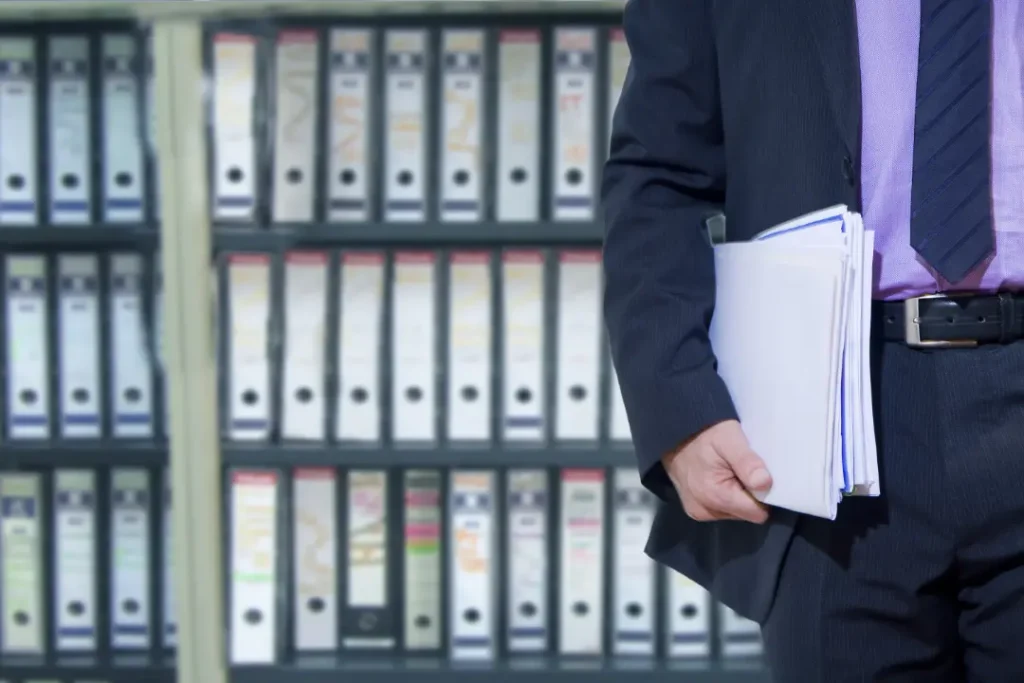
How MIGHTY Self Storage Supports Secure File Archiving In Leicester
MIGHTY Self Storage runs a family-owned facility in central Leicester, built for small businesses. The site offers individually alarmed rooms, 24/7 internal CCTV, and personal access codes, with full insurance included to protect stored records.
Flexible sizes from 13 to 150 square feet and seven-day access let businesses scale storage for short- or long-term while keeping retrieval predictable.
We also supply packing materials and removal help to simplify moves, and provide online rental and payment to speed bookings. A local service like this cuts travel time for pickups and gives you straightforward admin control, helping firms stay compliant and efficient.
What Are The Best Tips For Packing Office Files Before Storage?
Good packing keeps documents intact. Use archival-grade boxes and folders, keep boxes off the floor on pallets or shelving, and add desiccants to fight moisture. Clear labels, an indexed contents list, and a record of each box’s location in a central register make retrieval quick and reliable.
Short-term storage can use sealed plastic crates; for long-term, choose acid-free materials and controlled environments to prevent deterioration.
Follow this packing checklist before you move files off‑site:
- Use archive boxes that fit standard shelving and label each with an ID, contents, and date range.
- Place files in acid‑free folders and separate sensitive personal data to meet GDPR rules.
- Add silica gel packets to manage moisture and close boxes securely to stop pests from getting in.
- Record every box in the master index with its exact location and the responsible owner.
- Keep frequently accessed records near the unit door for faster retrieval.
These steps protect documents and make your index effective, which helps when you choose the right unit size.
Below are recommended packing supplies, what they do**, and** notes to help you budget for materials:
| Packing Supply | Use | Cost / Notes |
|---|---|---|
| Archive boxes (acid‑free) | Long‑term storage of files | Moderate cost; essential for preservation |
| Acid‑free folders | Protect individual documents | Small extra cost; prevents deterioration |
| Silica gel/desiccants | Moisture control inside boxes | Low cost; replaceable over long storage |
| Pallets or shelving | Keep boxes off the floor | One‑time cost; protects from flooding and pests |
| Waterproof covers (short‑term) | Temporary moisture protection | Good for short moves; not a long‑term solution |
We support online rental and payment, and many businesses prefer to combine facility‑provided packing materials and removal help with remote booking. When a provider offers both materials and logistics, your team can focus on indexing and compliance, not heavy lifting.
Packing Materials And Techniques That Best Protect Documents
For long-term preservation, use archival-quality boxes and folders that are acid-free and lignin-free to stop yellowing and brittleness. Add desiccants for humidity control, keep boxes on pallets or shelving to avoid floor contact, and seal with archival tape rather than normal adhesive tape that can degrade paper.
For frequent access, rigid plastic crates with clear external indexes work well, but avoid plastic for long-term storage because it can trap moisture. Label boxes on at least two faces, include a contents list inside each box and in your master index, and separate highly sensitive personal data so retrieval requires authorisation. Those packing choices make digital indexing and hybrid archiving far more useful.
How Can You Combine Physical And Digital Storage For Faster Access?
Pairing physical archives with a digital index or scanned copies speeds retrieval, reduces paper handling, and improves disaster recovery. Decide whether to scan on demand for low‑use files or batch‑scan key records before archiving to create searchable PDFs that map to box locations. A consistent filename and metadata scheme make scanned copies discoverable and linkable to your master register.
Main Benefits Of A Hybrid Off-Site And Digital Archive
A hybrid system cuts retrieval time: staff can search digital files before travelling to a unit, and you reduce wear on originals by limiting handling. Digital copies help remote teams and speed compliance responses, while originals remain securely archived for legal needs.
The combination also boosts resilience; digital backups plus off‑site physical copies provide useful redundancy. Use a tiered access model: routine queries use digital copies; original documents should trigger planned physical retrievals. That balance keeps costs down while maintaining compliance readiness.
Planning Disaster Recovery For Critical Records
Start by prioritising essential documents, setting recovery time objectives (RTO) and recovery point objectives (RPO), and keeping redundant copies across formats and locations.
Identify the records you need to resume operations, store digital backups off-site, and test retrieval procedures to confirm recovery timelines. Keep emergency contacts for storage providers and preserve destruction certificates and audit logs.
Regular tests of physical retrievals and digital restores prove your strategy works. Those tests close the loop between indexing, secure storage, and operational resilience.
What Are Cost‑effective Ways To Manage Business Document Storage In Leicester?
Cost‑effective storage weighs unit price against indirect savings: reduced office space, less staff time searching for files, and lower regulatory risk. Outsourcing rarely used records to a professional provider can cut overhead by freeing expensive office space and giving you predictable insurance and security.
Build a simple ROI comparison with unit rental, indexing time, staff overhead, and potential non‑compliance costs to see the benefits clearly. Quick cost‑saving actions you can start now:
- Archive selectively: move only documents past active use to off‑site storage.
- Digitise high‑use records to avoid repeated access trips.
- Standardise box sizes and shelving to pack more per square foot.
These steps reduce rental costs and hidden operational expenses, making professional off‑site storage a strong option for many businesses.
Cost Savings Of Professional Off-Site Storage Versus In-House Filing
Professional storage shrinks office storage needs by moving rarely accessed records to lower‑cost units, and it saves staff time through better indexing and retrieval. Include insurance and security when you compare off‑site costs with the implicit risks of keeping records in‑house.
When you calculate savings, factor in time saved per retrieval, reduced clutter that can lower office rent, and the lower risk of compliance failures.
A simple comparison of annual office storage overhead against unit rental plus indexed retrieval time shows where the break‑even point sits based on box counts and access frequency. That clarity helps you decide whether to digitise, purge, or outsource archives.
Problems Caused By Disorganised Records And How To Avoid Them
Disorganised records lead to missed deadlines, lost revenue, fines, and damaged customer relationships. Causes include inconsistent naming, no retention rules, and poor indexing. Prevent these issues by documenting a retention policy, training staff on labelling standards, and running regular audits to catch drift.
Partnering with a professional storage provider reduces risk by offering stable environmental controls, access logs, and insurance, making audits and incident responses easier. Clear policies and a capable partner let your business scale, without repeated crises. This stability is especially crucial in times of uncertainty, as seen with the company response to coronavirus, where having a reliable storage system can facilitate seamless operations even when challenges arise. By leveraging the strengths of your storage partner, your business can adapt to fluctuating demands, ensuring that resources are allocated efficiently. Moreover, a strategic partnership can provide deeper insights into industry best practices, fostering continuous improvement and resilience.
We make online rental and payment straightforward, so once you pick a unit size, and plan packing and indexing, you can reserve the right storage without paperwork, ideal for Leicester businesses needing predictable access and easy booking.
Keeping Labelling And Filing Consistent Across Teams
Consistency is everything. Use a documented naming convention, enforce templates, and run short training sessions. Put unique box IDs on multiple faces, match label contents to the metadata fields in your digital register, and review the system regularly so searches return precise physical locations.
Regular spot checks and refresher training for new hires stop label drift and preserve the value of your storage strategy. We also offer online rental and payment to remove admin friction and make booking a unit quick and predictable.
Frequently Asked Questions
What Are The Advantages Of Digital Archiving Alongside Physical Storage?
Digital archiving speeds up retrieval and reduces wear on originals. Searchable copies let staff find documents without opening boxes, which helps remote working and fast compliance responses.
Digital backups also strengthen disaster recovery: if something happens on-site, your team can still access critical information. In short, a hybrid approach makes day‑to‑day work smoother while keeping originals safe.
How Can Businesses Ensure GDPR Compliance When Storing Physical Documents?
To meet GDPR for physical records, limit access to authorised staff, lock storage areas, and log who retrieves files. Keep an up‑to‑date register of processing activities and document the lawful basis for holding personal data. When you destroy records, use verifiable methods and keep destruction certificates. These steps show you’re handling personal data responsibly.
What Should Businesses Check When Selecting An Off-Site Storage Provider?
Look for strong security, monitored alarms, CCTV, and controlled access, plus clear GDPR support like access logs and secure destruction. Check insurance coverage, environmental controls, and flexible rental terms so the solution fits current needs and future growth. Ask for written details so you can compare providers on the things that matter.
How Do Regular Audits Improve Document Management?
Audits find gaps, fix drift from naming standards, and highlight training needs. By reviewing filing systems, retention rules, and access logs, you keep document management aligned with legal and business needs. Audits also reinforce staff accountability and make the whole system more reliable, so retrievals and compliance checks run smoothly.
What Are The Best Practices For Packing Documents For Long‑term Storage?
Use archival‑quality acid‑free boxes and folders, label boxes clearly, and keep a master index. Store boxes off the floor on pallets or shelving, add desiccants to control humidity, and seal boxes securely. These practices minimise deterioration and make retrieving items straightforward.